Filing cabinets take up space, files go missing, and nobody can find a document when working from home. Digitising paper records solves all three, but only if it is planned. Scanning everything into one folder just moves the mess onto a screen.
1. Decide what to digitise
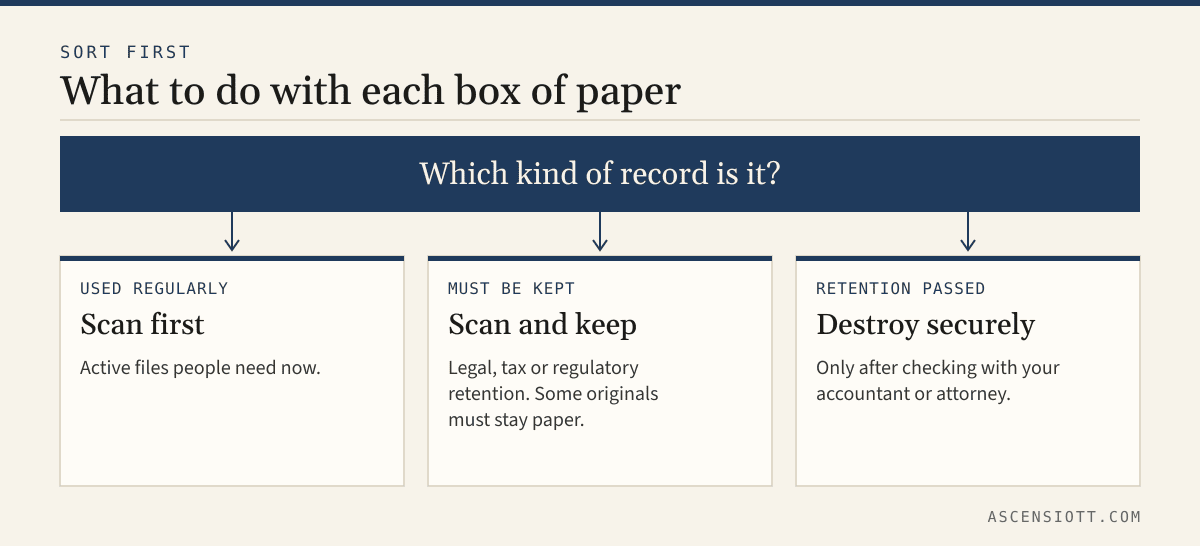
Not everything needs scanning.
2. Design the folder structure first
Agree a structure and file-naming rule before the first page is scanned. A good file name sorts properly and tells you what the document is without opening it, for example 2025-03-14_ClientName_Invoice_1042.pdf. Use the same folders for every client or matter, so anyone can find anything. Law offices can pair this with a file numbering system.
3. Scan to a consistent standard
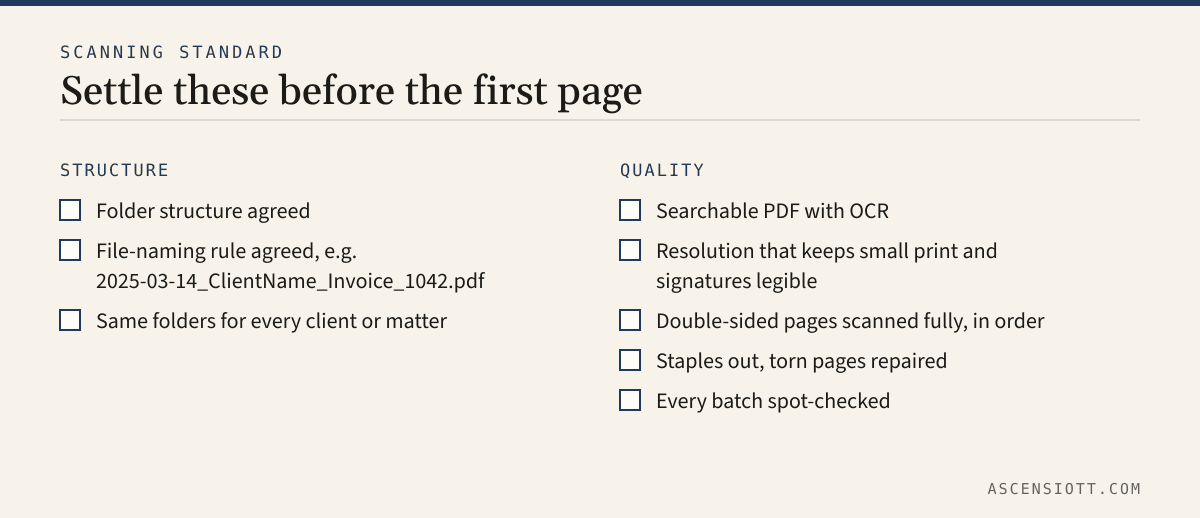
A naming rule that sorts properly is worth more than speed.
4. Check quality as you go
Spot-check every batch for missing pages, blurred scans and wrong names. Problems found later are much harder to fix once the paper has been archived or destroyed.
5. Store it securely
Use a business account on a reputable cloud service, such as Google Drive, OneDrive or SharePoint, with access limited to the people who need it. Keep a backup. Personal accounts and USB drives are not a records system.
6. Decide what happens to the paper
Originals may go back into archive boxes with a clear index, be stored off-site, or be securely shredded where the law allows. Some documents, such as original deeds, wills and certain certificates, must always be kept in their original form.
7. Keep it going
Digitising the backlog is a one-off project. The real change comes from scanning new paper as it arrives, with the same structure and naming rule. A short SOP and a shared digital workplace keep it that way.
Quick answers
What format should scanned documents be saved in? Searchable PDF (with OCR) is the standard for office records.
Can I destroy paper originals after scanning? Often, but not always. Check retention rules, and keep originals of deeds, wills and similar documents.
How long does digitising an office take? It depends on volume. A clear plan and naming rule matter more than speed.
What is a good file-naming rule? Date first (YYYY-MM-DD), then client or matter, then document type and number.
Ascensio Business Services digitises and organises paper records for offices and law firms in Trinidad and Tobago, including folder design, scanning, indexing and filing systems.